
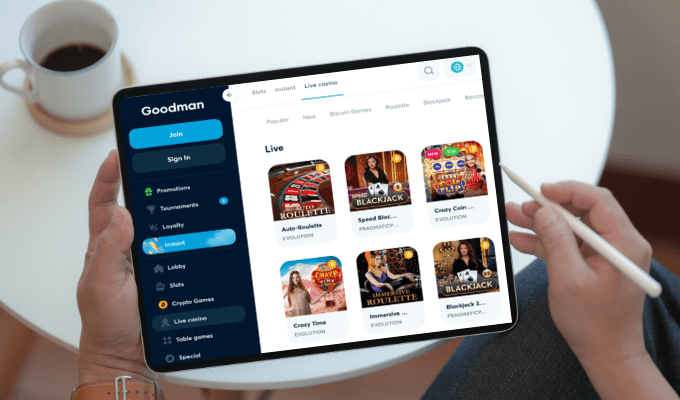
Maintaining a mobile casino app current is one of the simplest yet most overlooked habits that directly impacts gameplay quality, security, and entry to the latest games goodmanaus.com. For players utilizing the Good Man Casino app on Australian devices, updates are not merely cosmetic changes. They deliver critical performance patches, new pokies from premier studios, and hardened encryption protocols that protect financial transactions. Many newcomers think their app will always function correctly without action, but operating systems evolve rapidly, and an outdated casino app can develop compatibility gaps that cause breakdowns during live dealer rounds or slowdowns when cashing out winnings. Comprehending the update process takes away the anxiety around losing account data or interrupting a gaming session. This guide walks through every stage of the update journey, from identifying the current version to troubleshooting failed installations, all adapted to the Good Man Casino mobile experience.
Updating the Good Man Casino App on iOS
Apple’s ecosystem makes app updates straightforward, but casino apps occasionally require a manual refresh since they are not hosted on the App Store globally. Australian players who initially downloaded the Good Man Casino app via a direct enterprise certificate or a configuration profile will not see updates among the standard App Store updates. Alternatively, they must revisit the official download portal and install the new provisioning profile. For those who installed through the App Store, the process is familiar: launch the App Store, tap the account icon, and pull down to refresh the available updates list. If Good Man Casino appears, choosing “Update” downloads and installs the latest build. Enabling automatic updates ko.wikipedia.org in the device settings ensures that future versions install overnight when the device is plugged in and connected to Wi-Fi, removing the need to remember.
Activating Automatic Updates
Automatic updates are a set-and-forget solution for players who want continuous access to the newest features. In the iOS Settings app, under App Store, toggling “App Updates” lets the system to download and install updates in the background. This works only when the device is charging and on Wi-Fi, so it never consumes mobile data. However, for casino apps distributed outside the App Store, this toggle has no effect. Those users must rely on push notifications from the Good Man Casino app itself, which often include a direct link to the updated configuration profile. Allowing notifications from the app is therefore a critical step for staying informed about mandatory updates that patch security vulnerabilities.
Why Regular App Updates Are Essential
Casino applications operate in a high-pressure setting where split seconds are critical for real-time wagering and slot spins. Developers at Good Man Casino release updates to address memory leaks that can slow down browsing, resolve bugs that sometimes freeze the game reels, and refine code for the latest iOS and Android releases. Without these patches, a player could experience a unexpected logoff during a bonus feature or encounter visual bugs that obscure bet amounts. Aside from speed, updates bring in new licensed games that are not available on previous versions. A gamer on version 2.4 rather than 2.6 could overlook a full set of high-return pokies introduced that month. Security is the top priority. Online risks targeting financial apps shift continuously, and each update packs the newest encryption tools and tamper-proof features. Ignoring an update makes a device susceptible to MITM attacks on public wireless networks, which is a serious threat for players who wager in cafes or airports. Regular updates are the first line of defence.
How to Check Your Current App Version
Knowing which version of the Good Man Casino app is set up assists a player decide whether an update is pending. On an iPhone, the version number is found inside the app’s settings menu, generally under an “About” or “Info” tab, and also appears at the bottom of the App Store listing when the app is already installed. Android users can find the version by long-pressing the app icon, choosing “App Info,” and moving to the bottom of the screen where the version string is displayed. Contrasting this number against the latest release listed on the official Good Man Casino website reveals the gap. A version that is more than two iterations behind the current release should be considered as a priority update, as it likely is missing critical security patches. Saving the official download page on goodman.win ensures the player always references the authentic source rather than third-party app repositories that may carry tampered versions.
What to Do When an Update Fails to Install
An installation failure can trigger panic, but the solution is almost always close at hand without deleting account data. The most common cause is a conflict in the old app’s cache and the new version’s data structure. Removing the app cache from the system settings fixes this without erasing login information. If the update hangs at some point, restarting the device clears temporary system locks that might be retaining old app files. On occasion when the app icon turns gray and clicking it does nothing, a complete uninstall and reinstall becomes required. This process does not remove the player’s balance or account as all key data is stored on Good Man Casino’s secure servers. Following a reinstall and logging back in, the player picks up exactly where they left off, with the new app operating smoothly.
Clearing Cache and Data
With Android, the “Clear Cache” button is located under Settings > Apps > Good Man Casino > Storage. This removes temporary files without disrupting the login session. If the issue continues, “Clear Data” restores the app to a clean state, requiring a new sign-in but repairing deeper issues. iOS lacks a direct cache-clearing option for particular apps; rather, removing the app temporarily via Settings > General > iPhone Storage and then downloading it again delivers the same outcome. This temporary deletion preserves the app’s documents and data, so the player does not lose any saved preferences. Following the reinstallation, the update should install without issues. These methods solve over 90 percent of installation failures noted by Australian users.
Preparing Your Device for an Update
Before tapping the update button, a number of preliminary steps avoid installation errors and data loss. The Good Man Casino app saves session tokens and game preferences locally, and while updates are designed to preserve these, a device that exhausts storage mid-installation can damage the app’s data directory. Making room is a non-negotiable first move. The update file itself is small, usually under 150 MB, but the extraction process requires at least double that free space temporarily. Players should also confirm that their login information are stored or stored in a secure password manager, because a major version jump occasionally necessitates a fresh sign-in. A stable internet network is equally vital; a drop in connectivity during the download can leave the app in a broken state that requires a full reinstall. Switching to a trusted home Wi-Fi network instead of mobile data bypasses bandwidth throttling and unexpected data charges on Australian mobile plans.
Make Room for Storage Space
On both iOS and Android, the Settings app provides a storage breakdown that reveals exactly how much room is free. A player should ensure at least 500 MB of free space before initiating the update, which provides a safe buffer for the operating system’s temporary files. Deleting unused apps, old podcast downloads, and blurry photos can quickly recover gigabytes. On Android devices, clearing the cache partition from the recovery menu is an advanced but effective method that does not touch personal data. For iPhone users, offloading unused apps through the iPhone Storage menu automatically preserves their documents while freeing the app binary. Once the device displays sufficient space, the update process becomes a smooth, single-step operation without the risk of a stalled progress bar.
Consistent Internet Connection
A direct or fast Wi-Fi connection eliminates the packet loss that affects mobile data in areas with weak signal. Australian NBN connections, even on lower-tier plans, offer the reliability needed for a download that is not able to be paused and resumed safely. If Wi-Fi is unavailable, a player must at minimum ensure a 4G or 5G connection with full bars and disable any VPN or ad-blocker that might intercept the download request. Some public networks in hotels or clubs impose captive portals or throttle app store traffic, leading to the update to time out. Running a quick speed test before starting the download confirms that latency is low and bandwidth is sufficient, stopping a corrupted APK or IPA file that would force a tedious reinstallation sequence.
Ensuring Your Account Safe By Updates
Every app update from Good Man Casino strengthens the security architecture that safeguards player funds and personal information. Updates resolve vulnerabilities that could be exploited by screen-overlay attacks or keyloggers, which are a real threat on rooted or jailbroken devices. Players should avoid ignore an update flagged as “critical” or “mandatory,” because these often fix zero-day exploits that attackers are currently using. The latest versions also implement stronger two-factor authentication flows and biometric login options, such as fingerprint and Face ID, that make unauthorized access nearly impossible. After updating, checking the app’s privacy permissions ensures that only necessary access is granted. A clear, updated app combined with a strong unique password and enabled two-factor authentication creates a barrier around the player’s casino account, allowing them focus entirely on the entertainment rather than worrying about digital threats.
Mastering the update routine transforms a potentially frustrating technical chore into a fast, five-minute habit that unlocks better games, faster performance, and unbreakable security. By checking version numbers, readying the device with ample storage and stable Wi-Fi, and being aware of the exact steps for iOS and Android platforms, any Australian player can maintain the Good Man Casino app in peak condition. When an update fails, clearing cache or reinstalling solves the problem without risking a single cent of the account balance. Staying current means never missing a new pokie release, a boosted odds promotion, or a critical security patch that ensures the gaming experience safe and seamless.
Guaranteeing Device Compatibility for Future Updates
Casino apps steadily drop support for older operating systems as new security standards arise. A player running iOS 14 or Android 9 may find that the next major Good Man Casino update requires a newer OS version. Checking the app’s minimum requirements before updating prevents the frustration of a blocked installation. Generally, devices manufactured in the last four years manage updates without issue, but budget Android phones with limited RAM may struggle with graphically intensive live dealer streams. Maintaining the device’s operating system updated is equally important; a pending system update can interfere with app compatibility. Australian players should enable automatic system updates on their devices and periodically visit the Good Man Casino compatibility page to verify that their hardware remains supported for the latest app version.
Exploring New Additions Upon an Update
Once the update completes, a brief walkthrough of the app reveals what has been modified. Good Man Casino typically publishes patch notes on its website, but players can also identify new additions by exploring the game lobby for newly added titles or a refreshed category like “New & Hot.” Updates frequently activate progressive jackpot pools that were not available in the previous release, giving players first opportunity to prize pools that grow rapidly. The cashier section may display additional payment options customized to Australian players, such as PayID or a new cryptocurrency choice. Performance improvements are less visible but immediately experienced: faster table switches, smoother card effects, and reduced battery consumption during extended play sittings. Checking a live dealer table after an update often reveals improved stream stability and lower lag, especially on 5G connections in metropolitan regions like Sydney and Melbourne.
Upgrading the Good Man Casino App on Android
Android provides more flexibility but also more potential issues because the Good Man Casino APK can be provided outside Google Play. Players who set up the app via the Google Play Store benefit from the same streamlined update flow as any other app: open the Play Store, click the profile icon, choose “Manage apps & device,” and hit “Update” if a new version is listed. For direct APK downloads from the Good Man Casino website, the update process involves downloading the latest APK file and running it. Android will prompt the user to enable installations from the browser or file manager, a setting that should be granted only for this trusted source and disabled immediately afterward. The new APK installs over the old app, preserving account data and settings, provided the package signature corresponds. This signature verification is Android’s defense against malicious replacements.
Manual APK Installation Steps
When an update is not listed on the Play Store, the player navigates to the official Good Man Casino mobile page, downloads the fresh APK, and opens it from the notification shade or a file manager. Before clicking “Install,” the user has to turn on “Install unknown apps” for the specific app that handles the download, such as Chrome or Files by Google. After installation, that authorization should be turned off to preserve device security. The whole process takes under two minutes on a modern device. The updated app will hold the player’s balance, game history, and login token, so there is unnecessary to re-enter credentials unless a major authentication change has been rolled out. This method is especially beneficial for Australian players using Huawei devices that don’t have Google Mobile Services, as the direct APK bypasses Play Store dependencies completely.
